Klik
Screenshots, screen recording and GIFs on your Mac — annotate, then drag straight into any app. 700 KB, native, no subscription.
What it does
CleanShot is excellent and costs money every year. Klik is the answer to how much of it you actually use: it sits in the menu bar, grabs a region, a window or the whole screen, records video with system audio and your microphone, and then gets out of the way. Every capture slides into the corner of the screen so you can drag it straight into Slack, Mail, Finder or a browser upload.
- Region, window and full-screen capture via ScreenCaptureKit
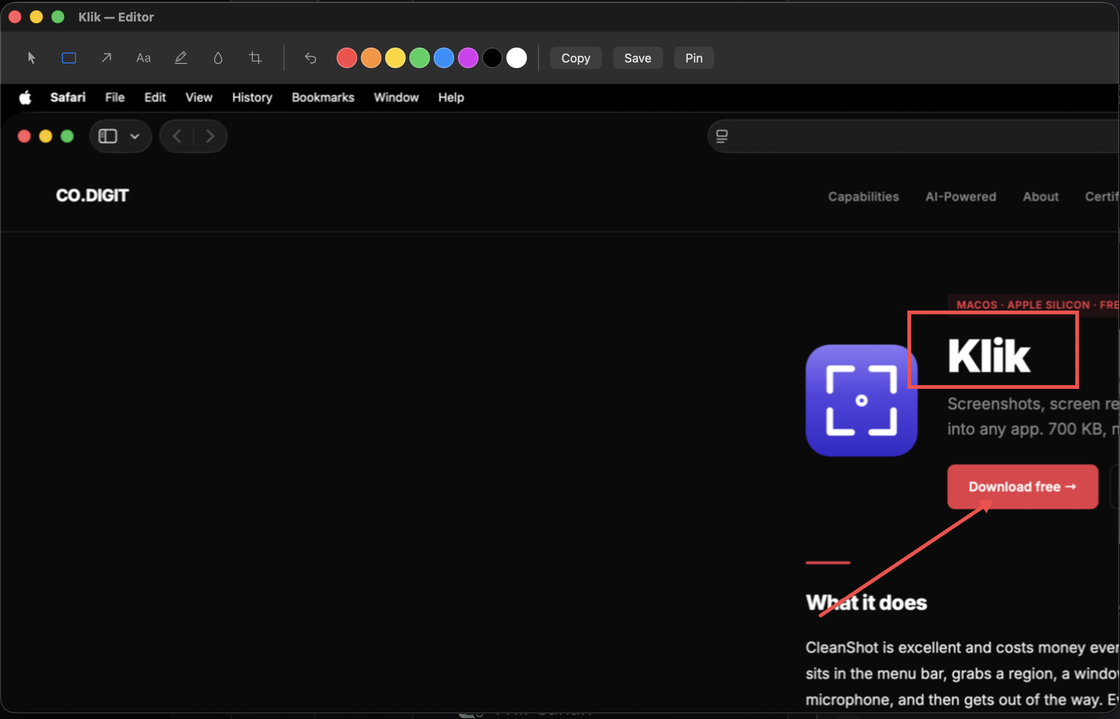
- Annotation editor — rectangle, arrow, text, highlight, gaussian blur, crop
- Pin a screenshot so it floats above every other window
- Screen recording, full screen or region, HEVC with a 1080p ceiling
- Records system audio and the microphone — built for capturing meetings
- Echo cancellation and single-track mixing run automatically after each recording
- Turn any recording into an optimized GIF in one click
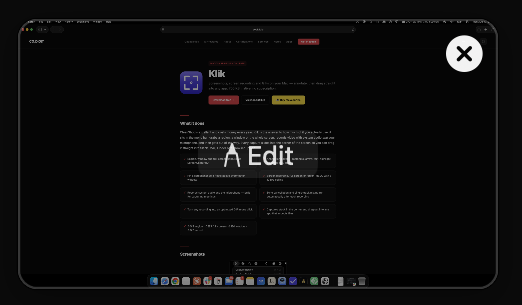
- Captures stack in the corner and drag out into any app that accepts files
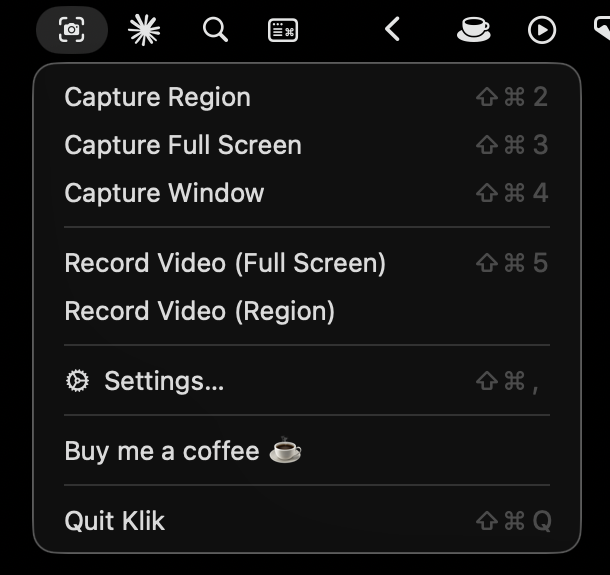
- ⇧⌘2 region · ⇧⌘3 full screen · ⇧⌘4 window · ⇧⌘5 record
CleanShot je odličan i naplaćuje se svake godine. Klik je odgovor na pitanje koliko toga zapravo koristiš: stoji u menu baru, hvata regiju, prozor ili cijeli ekran, snima video sa sistemskim zvukom i mikrofonom, i onda ti se makne s puta. Svaka snimka sklizne u kut ekrana pa je možeš povući ravno u Slack, Mail, Finder ili upload u pregledniku.
- Regija, prozor i cijeli ekran preko ScreenCaptureKita
- Editor za anotacije — pravokutnik, strelica, tekst, marker, blur, crop
- Pribodi screenshot da lebdi iznad svih ostalih prozora
- Snimanje ekrana, cijeli ekran ili regija, HEVC s gornjom granicom od 1080p
- Snima sistemski zvuk i mikrofon — napravljeno za snimanje sastanaka
- Uklanjanje jeke i spajanje u jedan audio zapis idu automatski nakon svake snimke
- Pretvori bilo koju snimku u optimizirani GIF jednim klikom
- Snimke se slažu u kutu i povlače u bilo koju aplikaciju koja prima datoteke
- ⇧⌘2 regija · ⇧⌘3 cijeli ekran · ⇧⌘4 prozor · ⇧⌘5 snimanje
Screenshots
Why native?
Klik runs on Apple's own frameworks and nothing else: ScreenCaptureKit for screenshots and video, AVAssetWriter for encoding, ImageIO for GIFs, Carbon Event Manager for global hotkeys. Zero third-party dependencies, so the whole thing builds from a single shell script and ships as a 700 KB .app — not a 150 MB Electron bundle with a Chromium runtime inside it.
Recording targets HEVC with a 1080p ceiling, so a full-screen capture on a 5K display still comes out as a 1080p MP4 — an hour of meeting lands around 1.5 GB instead of needing a re-compression pass before you can share it. System audio and the microphone are captured as separate tracks, then echo-cancelled and mixed down into one AAC track so the file plays properly wherever it ends up.
No telemetry, no analytics, no network code, no subscription. MIT licensed.
Klik radi na Appleovim frameworkovima i ničemu drugom: ScreenCaptureKit za screenshotove i video, AVAssetWriter za enkodiranje, ImageIO za GIF-ove, Carbon Event Manager za globalne prečace. Nula vanjskih ovisnosti, pa se cijela stvar gradi jednom shell skriptom i isporučuje kao .app od 700 KB — a ne kao Electron paket od 150 MB s Chromium runtimeom unutra.
Snimanje cilja HEVC s gornjom granicom od 1080p, pa i snimka cijelog ekrana na 5K displayu izlazi kao 1080p MP4 — sat vremena sastanka završi na oko 1,5 GB umjesto da traži dodatnu kompresiju prije dijeljenja. Sistemski zvuk i mikrofon snimaju se kao zasebni zapisi, zatim im se ukloni jeka i spoje se u jedan AAC zapis da se datoteka uredno reproducira gdje god završi.
Bez telemetrije, bez analitike, bez mrežnog koda, bez pretplate. MIT licenca.
Build story
Klik started as a Saturday-afternoon question: how close can a native app get to CleanShot's core experience with no Electron and no third-party dependencies? The answer turned out to be a single 700 KB binary. Built in Swift with Claude as a pairing partner, MIT licensed, source on GitHub. This is the kind of ship-velocity work I do for founders building SaaS and AI products at Codigit.
Klik je krenuo kao subotnje pitanje: koliko blizu CleanShotovom iskustvu može doći nativna aplikacija bez Electrona i bez vanjskih ovisnosti? Odgovor je ispao jedan binary od 700 KB. Napisan u Swiftu uz Claude kao pair partnera, MIT licenca, source na GitHubu. Ovo je tip ship-velocity rada koji radim za founderse koji grade SaaS i AI proizvode kroz Codigit.
Updates
May 2026
- Acoustic echo cancellation after every recording, with a progress HUD while it runs — your microphone track no longer carries the speaker output back into the file
- Audio tracks are mixed into one sharing-friendly track automatically
- HEVC encoder at a 1080p ceiling — noticeably smaller files at the same quality
- Microphone capture moved to AVCaptureSession, with a permission check up front instead of a silent empty track
- First release — screenshots, annotation editor, video recording, GIF export and the drag-out overlay
Svibanj 2026.
- Uklanjanje akustične jeke nakon svake snimke, uz HUD s napretkom dok traje — mikrofonski zapis više ne vraća zvuk zvučnika natrag u datoteku
- Audio zapisi se automatski spajaju u jedan, prikladan za dijeljenje
- HEVC enkoder s granicom od 1080p — osjetno manje datoteke uz istu kvalitetu
- Snimanje mikrofona prebačeno na AVCaptureSession, uz provjeru dozvole unaprijed umjesto tihog praznog zapisa
- Prvo izdanje — screenshotovi, editor za anotacije, snimanje videa, GIF export i overlay za povlačenje